Legacy System Migration Strategy: A Practical Guide for 2026
Plan your legacy system migration strategy to modernize core operations, minimize outage risks, and ensure seamless delivery with this practical 2026 guide.

Replacing a legacy system outright can create more risk than keeping part of it in place. The right legacy system migration strategy depends on the system’s business role, technical limits, and the organization’s tolerance for change. A critical application with tightly connected processes needs a different path from a system that can be retired or replaced with limited disruption.
Concerns about data loss, outages, and interrupted work are reasonable. So is uncertainty about whether to migrate, modernize, replace, or retain the system. Start with business needs and evidence, not a preferred technology.
This guide explains how to choose an approach that fits your requirements and reduce avoidable risk through staged decisions and validation. It covers how to assess system criticality, dependencies, data, and change tolerance; compare migration and modernization options; and document scope, assumptions, responsibilities, and acceptance criteria before implementation. The goal is a practical plan that protects essential operations and gives delivery teams a clear basis for action.
Key Takeaways
- Start by linking the system’s business role and pain points to a clear reason for change.
- Compare rehosting, replatforming, refactoring, replacement, retention, and retirement by scope, dependencies, exposure, and validation needs.
- Use a legacy system migration strategy that accounts for ownership, data flows, integrations, security, and technical constraints.
- Reduce operational risk by sequencing discovery, migration, validation, cutover, and support, with clear owners at each stage.
- Carry defined outcomes, boundaries, risks, and acceptance criteria into modernization delivery.
Table of Contents
- When a Legacy System Migration Strategy Is Warranted
- Compare Legacy System Migration Strategies Before Choosing
- How to Select the Right Legacy Migration Strategy
- Build a Legacy Software Migration Roadmap That Controls Risk
- Move from Migration Strategy to Modernization Delivery with Sydeso
When a Legacy System Migration Strategy Is Warranted
A legacy system migration strategy documents what to change, where the system or its components will run, and how the change will be carried out. Start with the system’s business role, not a decision to adopt a particular platform. The outcome might be a move with minimal code changes, selective modernization, replacement, or continued use with defined improvements.
Separate what staff experience from what may be causing it. Slow or repetitive workflows are business symptoms. Unsupported dependencies, difficult-to-maintain code, integration limits, and reliance on scarce technical knowledge are possible technical causes. Record both. This helps teams avoid treating a visible bottleneck as proof that the whole application must be replaced.
Signals that the current system needs a decision
Assess the system against the work it supports. A recurring delay in a core process deserves more attention than an inconvenience in a rarely used feature. Review maintainability, security exposure, data sensitivity, integrations, and whether people with the right system knowledge are available. Together, these factors help establish both the impact of change and the risk of standing still.
Classify findings as urgent risks or improvement opportunities. A dependency that blocks a necessary security fix may require prompt action. A cumbersome report may be suitable for a later, incremental change. For each issue, record its business impact, affected processes, evidence, owner, and time sensitivity. This creates a specific case for action instead of a general label such as “outdated.”
Business criticality and operational tolerance matter. If the system supports essential transactions, a change may need narrow scope, parallel checks, and a carefully controlled transition. If it supports a contained internal task, the organization may accept more change at once. Sensitive data also affects the plan: before choosing a target, identify where the data is stored, how it moves, and which processes rely on it.
Migration, modernization, or replacement?
Migration usually means moving an application or its data to a different environment. Modernization changes how some or all of the software is built or operated. Replacement introduces a different system to take over existing capabilities. These choices can overlap, but they are not interchangeable. A move alone may leave architectural constraints in place; a rewrite may change more than the business needs require.
Teams can modernize selected components while retaining stable parts. For example, an application may keep reliable transaction logic while a constrained interface or integration is redesigned. Retention can also be deliberate when the system still meets its needs and the risks of change outweigh the benefits. Make the decision explicit: document what stays unchanged and why.
For an overview of software modernization strategies, consider how different approaches affect the system and its operating risks. For broader context on balancing new development with existing software, Sydeso’s custom software development guide covers build-and-modernize considerations. Neither a full rewrite nor a cloud move is automatic. Choose the smallest change that addresses the documented business need, then validate its effects before expanding the scope.
Compare Legacy System Migration Strategies Before Choosing
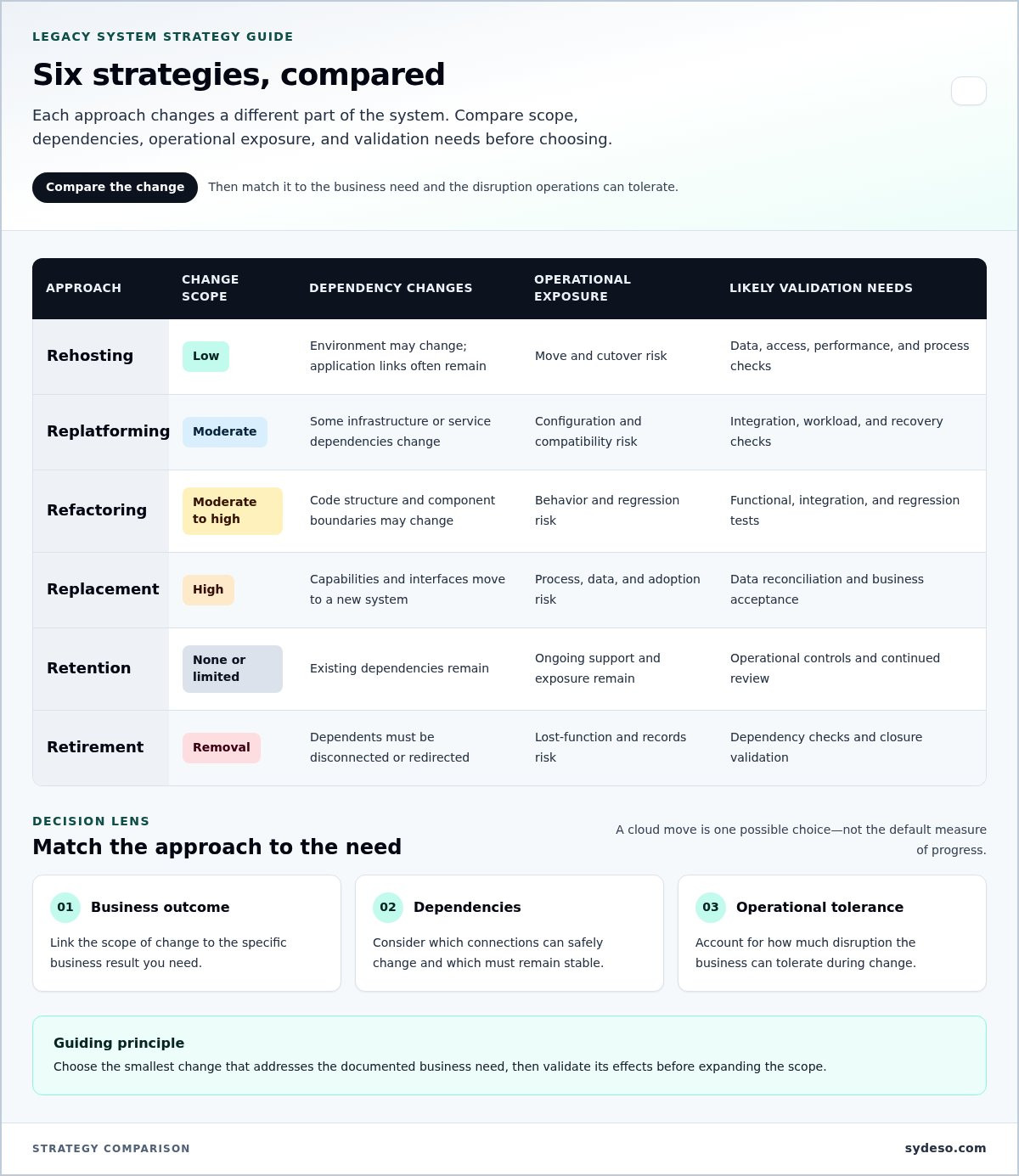
Each approach changes a different part of the system. Compare the scope of change with the business outcome you need, the dependencies you can safely alter, and the disruption operations can tolerate. Moving software to cloud infrastructure is one possible choice, not the default measure of progress.
What each migration approach changes
Rehosting moves the system with limited application changes. Replatforming adjusts the environment or selected infrastructure elements. Refactoring changes code or architecture to improve how the system operates. Replacement shifts existing capabilities to a different application. Retention keeps the system in use, while retirement removes it and its functions from service.
| Approach | Change scope | Dependency changes | Operational exposure | Likely validation needs |
|---|---|---|---|---|
| Rehosting | Low | Environment may change; application links often remain | Move and cutover risk | Data, access, performance, and process checks |
| Replatforming | Moderate | Some infrastructure or service dependencies change | Configuration and compatibility risk | Integration, workload, and recovery checks |
| Refactoring | Moderate to high | Code structure and component boundaries may change | Behavior and regression risk | Functional, integration, and regression tests |
| Replacement | High | Capabilities and interfaces move to a new system | Process, data, and adoption risk | Data reconciliation and business acceptance |
| Retention | None or limited | Existing dependencies remain | Ongoing support and exposure remain | Operational controls and continued review |
| Retirement | Removal | Dependents must be disconnected or redirected | Lost-function and records risk | Dependency checks and closure validation |
Use the comparison to connect technical scope to a business result. Rehosting may suit a required environment change when application behavior should remain stable. Refactoring may fit when maintainability or integration limits block planned work. Replacement makes more sense when existing capabilities no longer meet process needs and the organization can validate the new workflow. Retention is also a decision, but it should account for the cost and risk of continued operation. The Homeland Security Digital Library’s overview of federal legacy IT systems modernization provides context on the challenges of maintaining older systems.
When a phased or hybrid strategy fits
A phased approach can limit how much change is introduced at once. Map data flows, integrations, shared databases, and process handoffs to identify components that can operate independently. If boundaries are reliable, teams may move or modernize one component while others remain in place. If components share state or depend on hidden behavior, splitting them may increase risk rather than reduce it.
API development and integration can create defined connections between retained capabilities and newer applications. Each connection needs clear ownership and checks for data accuracy, errors, and expected behavior. The result may be a hybrid arrangement that supports an immediate business need while leaving other components unchanged. Define its boundaries and a plan to review those dependencies over time.
Sydeso provides API development and integration to connect software systems. A modernization approach should account for your system’s constraints, business priorities, and the connections that need to remain in place. See Sydeso’s software development services.
How to Select the Right Legacy Migration Strategy
Use a decision sequence to turn system findings into a choice the business can support. A sound legacy system migration strategy connects ownership, operational needs, technical constraints, and future support requirements. It also records why the selected approach fits better than the alternatives.
- Set the business outcome and name the owners. State what must improve or remain reliable, such as completing a core workflow, preserving access to records, or reducing reliance on a fragile integration. Name the business owner accountable for the outcome and the technical owner responsible for system behavior. Without both, teams can optimize infrastructure while leaving the operational problem untouched.
- Map users, workflows, and dependencies. Trace how work enters the application, what users do, and which downstream systems consume its data. Record interfaces, scheduled jobs, shared databases, and manual handoffs. A dependency map should show who owns each connection and which business process would be affected if it changed or failed.
- Assess data and operating constraints. Document data sensitivity, quality, retention needs, and the person accountable for approving its movement. Identify security requirements, external dependencies, architecture limits, and operational windows for change. Include the team’s capacity to maintain the target system. A technically feasible option may still be unsuitable if the organization cannot support it after deployment.
- Compare options against agreed priorities. Shortlist approaches that could meet the outcome, then rate each against continuity needs, acceptable change, internal capacity, and future operating requirements. A simple low, medium, or high rating can expose trade-offs without implying false precision. For example, an option with broad architectural change may improve maintainability but require more behavior testing and user preparation than a limited move.
- Record the decision and its conditions. Capture the selected approach, alternatives considered, assumptions, known risks, accountable owners, and acceptance criteria. State what evidence would change the decision. For example, discovering a shared data store or an unsupported dependency may trigger a narrower scope or a different sequence. This keeps new findings from becoming unreviewed scope changes.
Make acceptance criteria observable before implementation begins. Define the expected result for each important workflow, integration, and data set. Criteria might include successful completion of agreed business scenarios, reconciled records against an approved baseline, or access controls operating as specified. Set thresholds from business requirements and current measurements, rather than choosing targets after the work is underway.
Review the decision with the people who own the affected processes and the teams who will operate the result. Business owners confirm that the target outcomes reflect actual work. Technical owners confirm that dependencies and support needs are represented. This shared review makes trade-offs explicit and gives the next planning stage a decision record it can act on.
Build a Legacy Software Migration Roadmap That Controls Risk
A roadmap turns the chosen legacy system migration strategy into controlled work. It should define the sequence, the evidence required at each decision point, and who can approve moving to the next stage. Set the pace based on system dependencies and business operations, not a universal schedule.
- Discover and set scope. Confirm the systems, workflows, data, integrations, and user groups included. Record what stays unchanged and identify assumptions that need validation before work proceeds.
- Assign accountable owners. Name owners for data accuracy and approval, application behavior, each integration, business acceptance, and operational handover. Delivery teams manage implementation; business owners verify that real work still functions.
- Prepare the target and migration method. Document environment requirements, access controls, data transformations, dependencies, and the sequence for moving each component. Resolve ownership gaps before they become cutover decisions.
- Rehearse and validate. Test the migration process with representative data and critical workflows. Where risk warrants it, rehearse cutover steps, compare source and target results in parallel, and record defects and corrective actions.
- Approve cutover or hold. Use agreed evidence to decide whether to proceed. Define rollback criteria, decision authority, escalation routes, and the steps for restoring the prior operating state before production changes begin.
- Monitor and hand over. Track production behavior after transition, assign owners for fixes, and transfer runbooks, access details, and known limitations to the team responsible for ongoing operations.
Plan data, integrations, and transition controls
Build a data inventory that names each source, record group, transformation, destination, and downstream consumer. Assign an owner who can approve the meaning and completeness of migrated information. For important flows, define reconciliation checks, such as comparing agreed record counts or verifying that key fields and totals match the approved source baseline. Business owners should also confirm that the data supports the work it is meant to enable.
Set transition conditions before cutover. Specify which test results must pass, what level of discrepancy requires a pause, who can authorize rollback, and how teams will escalate an issue. Set criteria according to the system’s role and the impact of interruption.
Validate the system before and after cutover
Test critical workflows, access controls, integrations, and performance against the acceptance criteria. Include the teams who perform day-to-day work in user acceptance checks. They can confirm that the migrated system supports actual tasks, not only technical test cases.
After cutover, monitor agreed operational signals and route issues to named owners. Keep the prior environment available only as defined in the transition plan, with clear conditions for ending that fallback. Sydeso provides launch and support services for deployment and lifecycle management. Learn about Sydeso’s launch and support services.
Move from Migration Strategy to Modernization Delivery with Sydeso
A migration decision becomes useful when delivery teams can act on it without guessing about scope or responsibility. Carry the business outcome, selected approach, system boundaries, dependencies, risks, and acceptance criteria into the implementation plan. These records keep technical work tied to the reason for change and give stakeholders a basis for reviewing progress.
What to define before implementation starts
Write down which applications, data flows, and business processes are in scope. Name the business owners, technical owners, and teams responsible for validating each part. Document what will remain in place, which dependencies may change, and what conditions require a pause or revised plan. Clear boundaries help prevent adjacent work from entering the migration without review.
Set acceptance criteria for each transition milestone, not only for final launch. Define who checks application behavior, data accuracy, integration results, and user workflows, and what evidence they must record. Include deployment responsibilities, operational handover, and ongoing support needs. This gives the delivery team a shared reference for decisions and gives business owners a clear role in approving outcomes.
How Sydeso supports modernization work
Sydeso modernizes legacy software by refactoring and upgrading systems toward modern, cloud-ready architectures. The scope can focus on the parts that limit maintainability or prevent needed changes, rather than assuming every component needs replacement. Define the target around the system’s business role and the operating requirements established before implementation.
Sydeso’s custom software engineering supports tailored modernization and replacement work. API development and integration can connect newer applications with capabilities that remain in the existing system when the dependencies allow a clear, supportable boundary. This can help teams change selected functions while preserving established processes. Define data ownership, error handling, and validation responsibilities for each connection.
A practical delivery plan also accounts for how the system will be operated after deployment. Document who handles routine maintenance, how issues are triaged, what knowledge must transfer, and which team accepts the operational handover. These details matter as much as the technical target. A cloud-ready architecture still needs clear ownership and support processes to serve the business reliably.
Before work begins, review whether the proposed scope, validation plan, and acceptance criteria match the actual constraints. If the system’s role, dependencies, or tolerance for change has shifted, revise the delivery decision before implementation expands. A well-documented legacy system migration strategy gives engineering and business teams a common basis for that review, while leaving room to adjust when evidence changes.
Sydeso helps businesses plan and deliver legacy modernization around system requirements and operational needs. Explore Sydeso’s legacy modernization services.
Set the First Delivery Decision in Motion
A migration plan should give the team a clear next action, not simply approval to begin a large program. Choose a bounded first step that tests a key assumption, clarifies a dependency, or validates an important workflow. Define who will review the evidence and how that evidence could change the plan. This keeps the work accountable while leaving room to adjust as the system becomes better understood.
Your legacy system migration strategy can guide that work without locking the organization into choices that no longer fit. Treat it as a decision record: keep the target outcome visible, assign ownership, and revisit assumptions when new information affects scope or risk. Progress comes from making the next decision on sound evidence, then carrying that discipline through delivery.
Sydeso can help shape modernization work around your system’s requirements and operational needs. Discuss a legacy modernization project with Sydeso and take the next step with a clear basis for action.
Frequently Asked Questions
Can a legacy system be migrated if the source code is unavailable?
Yes, some legacy systems can be moved without source code, but the available paths depend on what can be accessed. Teams need to inspect the executable environment, interfaces, data, and existing documentation. Moving a working application differs from refactoring its code, which requires suitable source access. Start by documenting dependencies and testing a representative workflow. Choose a path based on verified constraints rather than assuming a rewrite is feasible.
Does a legacy system have to move to the cloud during migration?
No. Cloud infrastructure is one possible destination, not a requirement for migration or modernization. The suitable hosting choice depends on operating needs, security controls, integration requirements, and business constraints. For example, a system may remain on its current infrastructure while selected components move elsewhere, or its architecture may change without a hosting move. Base the decision on documented requirements, not on treating cloud adoption as the goal itself.
How can a business reduce downtime during a legacy system migration?
Downtime controls depend on the system’s architecture and the interruption the business can tolerate. Rehearse the cutover steps, validate results in parallel where practical, and define rollback conditions before production changes. Test the workflows staff rely on most, such as order entry or payment processing, and assign a decision owner who can pause the transition. A legacy system migration strategy should control exposure, but no approach can promise zero downtime for every system.
What should happen to historical data after a legacy system is replaced?
Decide how historical records will be accessed, protected, and managed before switching off the old application. Separate information needed in active workflows from records kept for reference or other business needs. Assign an owner for access decisions, set appropriate access controls, and test that retained records can be retrieved and understood. The plan should identify the source and location of the records. Don’t set a retention period without understanding the requirements that apply.
How do teams estimate the effort for a legacy system migration?
Estimate effort after discovery, when the team understands the system and has agreed on scope. Complexity, dependencies, data condition, integration work, validation needs, and transition constraints all affect the work involved. A system’s age or size alone won’t provide a reliable estimate. Document assumptions, unresolved questions, and uncertainty ranges so decision-makers can see what may affect the plan. Refine the estimate as assessment results replace assumptions with verified information.
Can a business migrate one part of a legacy application at a time?
Yes, if teams can identify component boundaries and verify how those parts interact. Shared data, tightly linked workflows, or hidden dependencies can make separate moves unsafe or impractical. Map these connections before choosing the sequence. APIs may connect retained functions with modernized applications, provided the interface and data responsibilities are clearly defined. Stage changes around dependency and operational risk, not an arbitrary number of components.
Questions
- Migration, modernization, or replacement?
- Migration usually means moving an application or its data to a different environment. Modernization changes how some or all of the software is built or operated. Replacement introduces a different system to take over existing capabilities. These choices can overlap, but they are not interchangeable. A move alone may leave architectural constraints in place; a rewrite may change more than the business needs require. Teams can modernize selected components while retaining stable parts. For example, an application may keep reliable transaction logic while a constrained interface or integration is redesigned. Retention can also be deliberate when the system still meets its needs and the risks of change outweigh the benefits. Make the decision explicit: document what stays unchanged and why. For an overview of software modernization strategies, consider how different approaches affect the system and its operating risks. For broader context on balancing new development with existing software, Sydeso’s custom software development guide covers build-and-modernize considerations. Neither a full rewrite nor a cloud move is automatic. Choose the smallest change that addresses the documented business need, then validate its effects before expanding the scope. Each approach changes a different part of the system. Compare the scope of change with the business outcome you need, the dependencies you can safely alter, and the disruption operations can tolerate. Moving software to cloud infrastructure is one possible choice, not the default measure of progress.
- Can a legacy system be migrated if the source code is unavailable?
- Yes, some legacy systems can be moved without source code, but the available paths depend on what can be accessed. Teams need to inspect the executable environment, interfaces, data, and existing documentation. Moving a working application differs from refactoring its code, which requires suitable source access. Start by documenting dependencies and testing a representative workflow. Choose a path based on verified constraints rather than assuming a rewrite is feasible.
- Does a legacy system have to move to the cloud during migration?
- No. Cloud infrastructure is one possible destination, not a requirement for migration or modernization. The suitable hosting choice depends on operating needs, security controls, integration requirements, and business constraints. For example, a system may remain on its current infrastructure while selected components move elsewhere, or its architecture may change without a hosting move. Base the decision on documented requirements, not on treating cloud adoption as the goal itself.
- How can a business reduce downtime during a legacy system migration?
- Downtime controls depend on the system’s architecture and the interruption the business can tolerate. Rehearse the cutover steps, validate results in parallel where practical, and define rollback conditions before production changes. Test the workflows staff rely on most, such as order entry or payment processing, and assign a decision owner who can pause the transition. A legacy system migration strategy should control exposure, but no approach can promise zero downtime for every system.
- What should happen to historical data after a legacy system is replaced?
- Decide how historical records will be accessed, protected, and managed before switching off the old application. Separate information needed in active workflows from records kept for reference or other business needs. Assign an owner for access decisions, set appropriate access controls, and test that retained records can be retrieved and understood. The plan should identify the source and location of the records. Don’t set a retention period without understanding the requirements that apply.
- How do teams estimate the effort for a legacy system migration?
- Estimate effort after discovery, when the team understands the system and has agreed on scope. Complexity, dependencies, data condition, integration work, validation needs, and transition constraints all affect the work involved. A system’s age or size alone won’t provide a reliable estimate. Document assumptions, unresolved questions, and uncertainty ranges so decision-makers can see what may affect the plan. Refine the estimate as assessment results replace assumptions with verified information.
- Can a business migrate one part of a legacy application at a time?
- Yes, if teams can identify component boundaries and verify how those parts interact. Shared data, tightly linked workflows, or hidden dependencies can make separate moves unsafe or impractical. Map these connections before choosing the sequence. APIs may connect retained functions with modernized applications, provided the interface and data responsibilities are clearly defined. Stage changes around dependency and operational risk, not an arbitrary number of components.